
 By
By 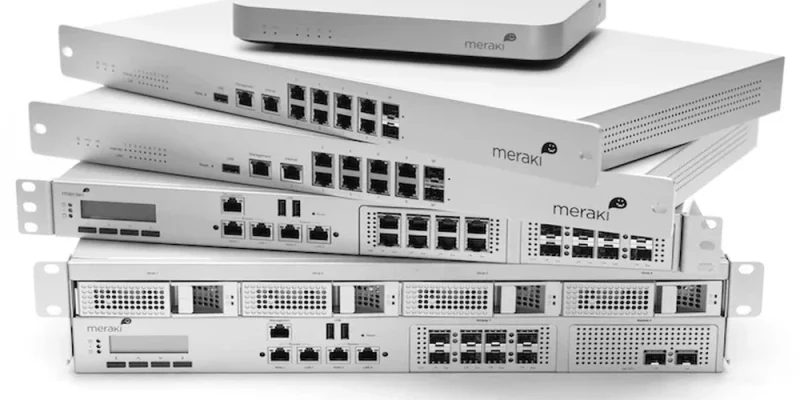
Managing one business network is demanding enough. Managing branches, stores, offices, or facilities across several locations adds another layer of complexity.
Cisco Meraki addresses that challenge with cloud-managed networking. At Link US Online, we source Meraki hardware for organizations that need dependable network infrastructure without making every new location a separate management project.
Key Takeaways
- Cisco Meraki lets IT teams manage distributed networks through a centralized dashboard.
- Businesses can apply consistent configurations and policies across multiple locations.
- Zero-touch provisioning can simplify hardware deployment at remote sites.
- Meraki combines wireless, switching, security, and other technologies within its cloud-managed platform.
- Centralized visibility can reduce the need to manage every branch independently.
- Selecting the right hardware still depends on users, traffic, coverage, security, and growth requirements.
Why Are Multi-Site Networks Difficult to Manage?
Every additional location can introduce another firewall, switch, wireless environment, internet connection, and group of users.
Without centralized management, IT teams may have to configure equipment separately, travel to remote locations for troubleshooting, or rely on staff at each branch to handle basic network tasks.
That approach becomes harder to maintain as a company expands.
Cisco Meraki was designed to give administrators centralized control over distributed network infrastructure. Cisco says the Meraki platform can manage WAN, access, and IoT technologies through a common interface while supporting deployments ranging from individual sites to large distributed environments.
How Does the Meraki Dashboard Help Multiple Locations?
The Meraki Dashboard provides remote visibility into supported network equipment.
Instead of treating each branch as an isolated environment, IT administrators can monitor devices and network health centrally. Cisco’s cloud-management documentation also includes multi-site management tools, network tagging, role-based administration, monitoring, alerts, and remote diagnostics.
For a business with locations in different cities or states, this can make network administration much more practical.
A central IT team can maintain greater visibility without needing a network specialist physically present at every office.
What Is Zero-Touch Provisioning?
Zero-touch provisioning allows compatible Meraki equipment to receive configuration through the cloud rather than requiring every setting to be entered manually at the installation site.
Cisco notes that Meraki devices can self-provision through its cloud-management architecture. This can be particularly useful when opening branches or replacing equipment at remote locations.
For example, an organization expanding from five offices to ten may want each new location to follow established networking standards. Centralized configuration helps reduce the amount of repetitive setup required at each branch.
Which Cisco Meraki Products Fit a Multi-Site Network?
The exact equipment depends on the environment, but a Meraki deployment can include wireless access points, switches, security and SD-WAN appliances, cellular gateways, and other cloud-managed products.
At Link US Online, our current Meraki catalog includes networking hardware and accessories for organizations building or expanding these environments. We have been helping companies procure IT equipment since 2011 from our location in North Carolina’s Research Triangle Park.
We recommend choosing equipment based on actual network requirements rather than simply duplicating the same hardware at every location.
Conclusion
Cisco Meraki can make multi-site networking easier to manage by bringing distributed infrastructure into a centralized cloud platform.
For growing companies, the practical benefit is greater consistency. IT teams can monitor locations remotely, standardize configurations, and deploy compatible equipment without rebuilding the network-management process every time another branch opens.
At Link US Online, we help businesses source Cisco Meraki hardware for network upgrades, replacements, and expansion projects. If your team already knows the SKU it needs-or needs help locating difficult-to-source equipment-we can help simplify the procurement side of the project.
Frequently Asked Questions
Is Cisco Meraki good for multiple business locations?
Yes. Meraki’s centralized cloud-management architecture is specifically suited to distributed networks where administrators need visibility across multiple locations.
Can Cisco Meraki equipment be managed remotely?
Yes. Compatible Meraki devices can be monitored and managed through the web-based Meraki Dashboard.
Does every branch need an on-site IT administrator?
Not necessarily. Remote management and zero-touch provisioning can reduce the need for IT personnel to perform every configuration task on-site.
Can businesses add more Meraki devices as they grow?
Yes. Cisco positions the Meraki platform as scalable from individual deployments to large distributed networks, although hardware capacity and licensing should be planned for each environment.
This post was written by a professional at Link-Us Online. At Link-Us Online, we understand the power of networking and its potential to improve the efficiency of your business. Our team empowers users to discover and acquire high-quality networking hardware from a diverse range of suppliers. We offer a range of industry-leading solutions from top brands such as Cisco, Meraki, HPE, Juniper, APC, Fortinet, and Ubiquiti. Whether you’re a small business owner seeking reliable equipment for your expanding network or someone in the purchasing department working for universities, real estate management companies, or local governments hunting for specific gear, Link-Us Online is your dedicated ally. Contact us if you are looking to juniper equipment.











Comments